OpenAI's Dots Put an Always-On AI Agent Behind Its Own Computer
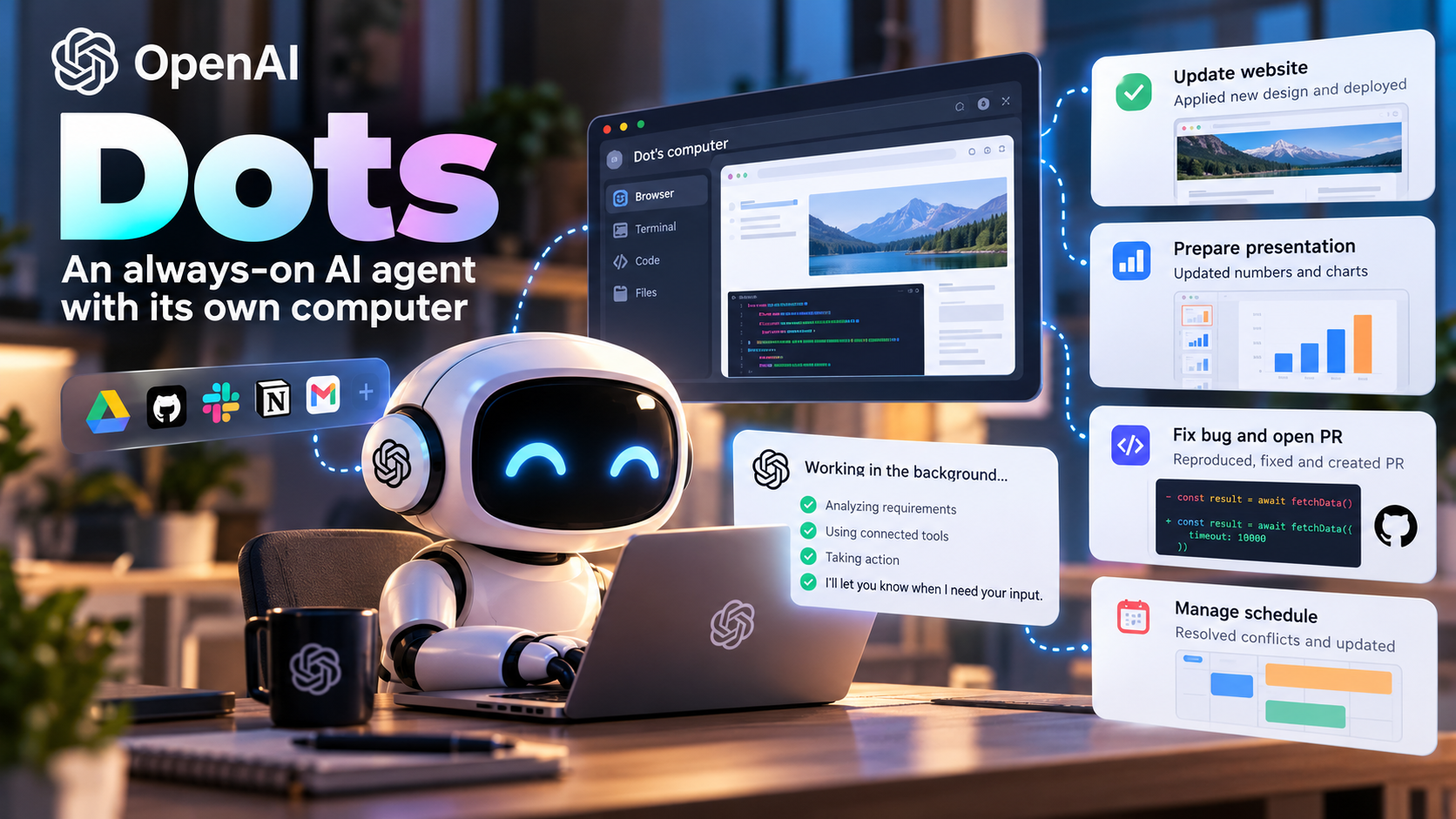
OpenAI opened its September 29, 2026 DevDay keynote with a product that is easy to describe and harder to ignore: Dots.
A Dot is an AI agent built into ChatGPT that can keep working after you close the chat. Each one gets its own cloud computer and browser, so it can move between services, write and test code, and report back when it reaches a decision that needs a person. OpenAI also introduced ChatGPT Space, a shared workspace for people and agents, along with a preview of specialist Dots for businesses.
The important idea is not that Dots can book a hotel or buy a plane ticket. Those are the familiar examples. OpenAI is aiming at the work people usually hand to a senior engineer, an operations lead, or a chief of staff.
What Dots are meant to do
OpenAI describes Dots as assistants that stay in the background until they have something useful to say. A Dot might be asked to:
- watch new bug reports, reproduce the problem, make a fix, and open a pull request;
- start the next budgeting cycle and keep track of each team’s progress;
- investigate why an app has become slower, ship a correction, and measure the improvement;
- migrate a codebase before an old API is retired, including dependency discovery, code changes, testing, and a pull request for review.
The keynote’s opening film showed a deliberately ordinary day. A Dot updated a website from an approved design, refreshed the numbers in a board presentation, and mapped out an app migration from meeting notes. It also dealt with a cancelled wedding-cake order, a child’s class registration, and a meeting that conflicted with a daughter’s performance.
That last part is worth noticing. The Dot did not silently make every decision. Whenever approval mattered, it stopped and asked.
A computer, tools, and a way to reach the agent
The product’s shape is clearer when broken into a few practical pieces:
| Capability | What OpenAI showed |
|---|---|
| Model | Dots are powered by GPT-6 Astra, which OpenAI presented as its most aligned model at the event. |
| Dedicated computer | Every Dot has a cloud computer and browser where it can write and test code. With permission, it can also work on the user’s own computer. |
| Connected tools | Dots can use the apps already connected to ChatGPT—more than 4,000 of them, according to OpenAI—with the same access boundaries as the user. |
| Communication | Users can reach a Dot through ChatGPT on desktop, the web, or mobile, as well as Slack and Microsoft Teams. Voice interaction is supported; texting and phone calls were described as coming later. |
| Memory and initiative | A Dot can learn a user’s routines and priorities, such as sorting overnight messages each morning and flagging only the urgent ones. Users can name a Dot and eventually have one coordinate a group of them. |
This is a different interaction model from a chatbot. The user provides a goal and some guardrails; the agent works through the steps and returns with progress, questions, or a result.
The safety question: what is the agent allowed to touch?
An always-on agent is only useful if people can control its reach. OpenAI says Dots include controls for limiting which apps and computer actions they can use, plus instructions for different kinds of work.
Reporting from SiliconANGLE adds a few details from the launch: before a Dot uses an account or shares information, an automated review is required; monitoring systems can pause or stop an agent when they detect a security concern; and data collection initiated by the Dot uses read-only connections.
Those controls are a starting point, not a substitute for an access review. A company considering Dots would still need to decide which accounts, folders, repositories, and internal systems are appropriate for an agent. It would also need a clear record of what the agent did and why.
A product-launch assistant in action
OpenAI product lead Holly used a fictional music app called Blossom Music to demonstrate the workflow.
The day before the launch, her Dot had already updated the calendar for an earlier review meeting, read feedback from overnight testers, and found the design team’s final homepage changes. On the way into the office, Holly used voice input to ask it to summarize the test results and add an FAQ for the marketing team to the shared page.
She then handed a Slack thread to the Dot. It appeared in the conversation under its own identity and worked through the request there. OpenAI said its engineers’ Dots already fix dozens of bugs this way each day—and that Dots helped build parts of Dots.
The last step crossed from the cloud to the local machine. Holly’s Dot called Codex on her laptop, turned the design into a working app, launched it in an iPhone simulator, and prepared a pull request. The demo hit an error partway through. After another run, it continued.
That small failure made the demo more credible. The point was not that the agent never gets stuck. The point was that it could recover, continue, and leave a human with something reviewable.
ChatGPT Space is the shared workbench
OpenAI’s argument is that most productivity software was built for people working with people, not for people and agents working together. ChatGPT Space is its answer.
A Space is organized around pages. A team can use one to write a plan, gather research, generate images and data, build interactive charts, work with spreadsheets, or create a functional prototype. Files and working material stay together, more like a project drive than a long chat thread.
People and their Dots can join the same page. Mentioning a Dot in a comment assigns it work. A team could also tell a Space to check a particular Slack channel every day and update the page with the results. OpenAI said it plans to add presentation features that agents can read and write more easily.
The distinction is useful:
- Dots are the workers that carry out tasks.
- ChatGPT Space is the shared place where the work, context, files, and decisions live.
Together, they point toward a workspace where an agent is part of the project rather than a separate tab that someone consults occasionally.
Availability and plan details
OpenAI said Dots would begin rolling out on September 29 to ChatGPT Pro and Business Premium users, with one Dot included in the plan. Some accounts may take a few days to receive access.
Enterprise, Edu, and Healthcare customers can have administrators enable the beta. Access is limited to eligible markets; Pro users in the European Economic Area, Switzerland, and the United Kingdom were listed as temporarily excluded. For users in Taiwan and elsewhere, the account’s own product screen is the safest way to check availability.
The keynote said conversations with a Dot would not count against plan usage. SiliconANGLE described the launch differently, saying the first month would not count toward usage. That detail, along with pricing and regional availability, should be treated as provisional until OpenAI’s official documentation settles it.
Pulse 2.0 also reported three Pro tiers at $100, $200, and $500 per month, with Astra Ultrafast reserved for the highest tier. Those figures are included here as reported, not as a substitute for OpenAI’s current pricing page.
Specialist Dots for businesses
OpenAI also previewed specialist Dots: virtual coworkers configured by a company, with their own identity and credentials, assigned to a narrow area such as accounting, marketing, or legal work.
The examples tested internally included procurement and invoice processing. A company could define an agent’s goals and background information, review its output, and provide feedback. Improvements could then be shared across the organization instead of remaining locked in one person’s prompt history.
OpenAI said it was working with Microsoft so that organizations could manage specialist Dots through Microsoft Agent 365’s governance and security controls. For larger companies, that administrative layer may matter as much as the model itself.
Other announcements from the keynote
The second half of DevDay focused on the developer platform. OpenAI presented GPT-6.1 Sol, a lower-cost model intended to deliver close to Astra-level coding performance, along with Ultrafast inference, which it said could be up to eight times faster.
The company also showed a cloud execution environment for Codex and Codex Security Cloud for code scanning. OpenAI’s broader message was that Dots and Codex use the same underlying tools available to developers through the API.
What this means in practice
There are three takeaways that seem more durable than any individual feature announcement.
Agents are moving from answers to ownership
Dots are designed to take responsibility for a piece of work over time, across several tools, and with proactive updates. The human’s job shifts from writing every instruction to setting the goal, reviewing the work, and making the calls that require judgment.
That puts Dots in the same broad direction as products such as Claude Cowork and Meta Muse. AI agents are becoming part of the office software stack, not just a way to draft text.
Cloud work still needs a local machine sometimes
Most of a Dot’s work happens on OpenAI’s cloud computer. In the demo, however, the final build and test ran through Codex on the user’s laptop. Work that touches a private network, a large internal codebase, or a device simulator may still need a capable computer that can stay on and be reached reliably.
Permissions should come before experimentation
Because a Dot inherits connected apps and user access, an organization should map its permissions before turning one loose. Which systems can it read? Which can it change? Which actions need approval? Where are the logs kept?
For workflows involving sensitive information that cannot leave the company, a locally operated model and agent may be the better fit. The cloud agent is convenient, but convenience should not decide the data boundary.
Final thought
The most interesting part of Dots is not the promise of a smarter chat window. It is the idea that an AI agent can have a place to work, a set of tools, a memory of what matters to its user, and enough autonomy to finish a task while the user is doing something else.
That also makes the limits more important. An agent that can work all day can make mistakes all day. The teams that get value from Dots will probably be the ones that treat permissions, approvals, and review as part of the product—not as paperwork to handle later.
Sources and notes
This article is an English adaptation of the original report published by MAQ. It is based on the OpenAI DevDay 2026 keynote, plus reporting from SiliconANGLE, TechCrunch, and Pulse 2.0 consulted on September 30, 2026. Product names, prices, plan limits, and regional availability can change; OpenAI’s official announcements should take precedence.