Claude Code Mods Let You Rewire the Tool with TypeScript
Anthropic has given Claude Code something developers have been asking for since the tool started becoming part of everyday engineering work: a way to change how it behaves without waiting for the next official release.
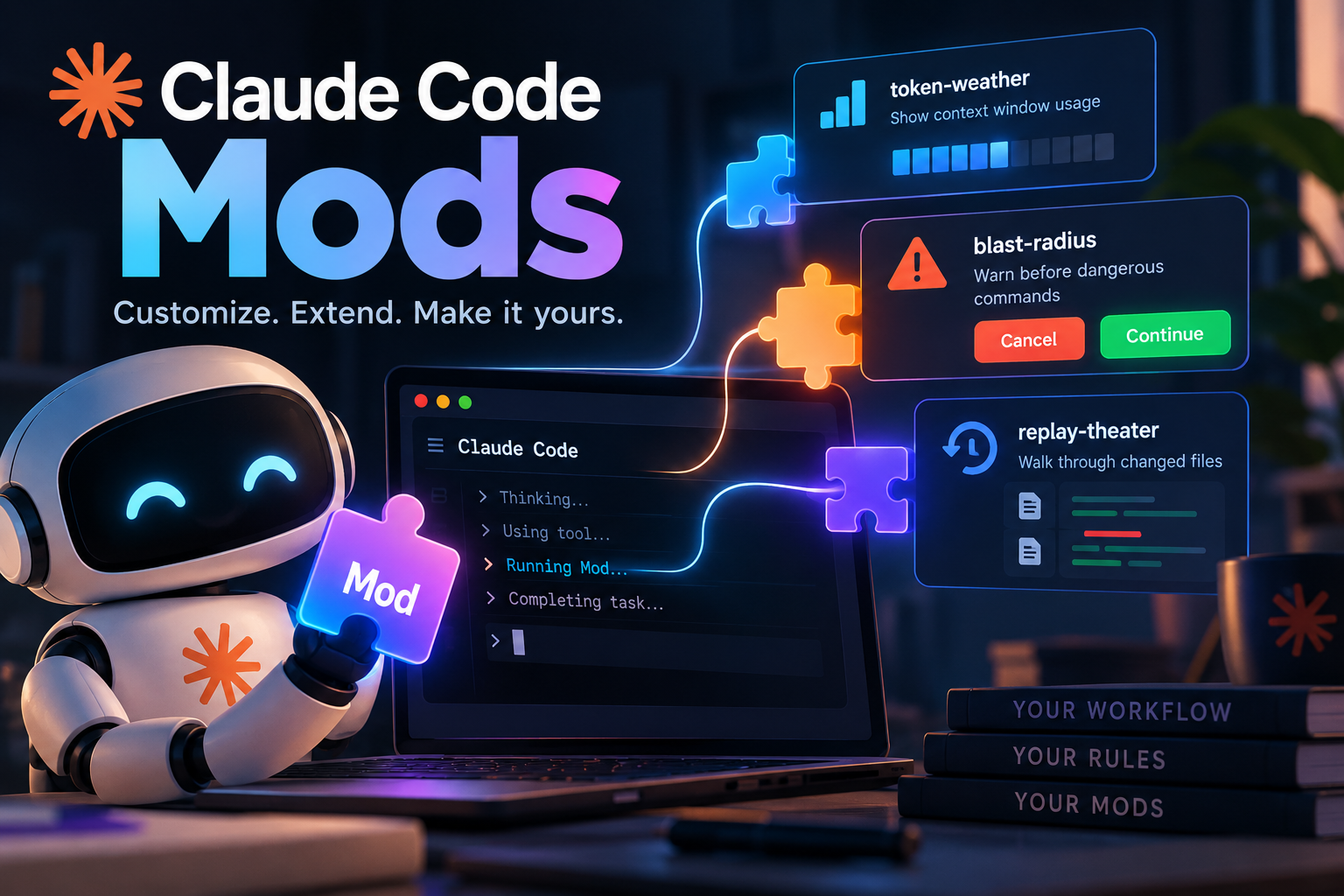
The feature is called Mods. A Mod is a small TypeScript or JavaScript function that hooks into Claude Code events. It can rewrite a prompt before it reaches the model, inspect or change a tool call, add a button to the interface, or replace part of the built-in experience entirely.
That sounds like another plugin system at first. It is more powerful than that—and therefore comes with a much bigger security warning. Mods run with the same computer access as Claude Code itself. They are not sandboxed.
Why Mods exist
Claude Code already had hooks. Hooks are useful, but they are deliberately narrow: a configuration file can tell Claude Code to run a command, send an HTTP request, or display a prompt when something happens. They can allow, block, or log an event, but they cannot really reshape the event or draw a new part of the UI.
Mods fill that gap.
Anthropic says developers wanted more freedom to adapt Claude Code to the way their teams work. A team might want a production-environment warning, a custom review step, or a panel showing the state of a long-running build. None of those should have to wait for a product team to add a checkbox somewhere in the settings.
Before the release, Anthropic put the design on GitHub and asked developers for feedback. The result is closer to an internal extension API than a collection of extra commands.
How a Mod works
Claude Code emits events as it works. Calling a tool is an event. Asking for permission is an event. Rendering a piece of the interface is an event. A Mod attaches a function to one of those points and can run before the event, after it, around it, or instead of it.
In practical terms, a Mod can:
- rewrite instructions before they are sent to the model;
- stop, alter, or retry a tool call;
- approve or reject a permission request;
- hide passwords, API keys, and other secrets before Claude sees tool output;
- edit or replace interface elements, including tool results and question prompts;
- add panels, buttons, and input fields to the Claude Code UI.
Several Mods can listen to the same event. They run in load order, which means extensions from different authors can be combined—provided their authors understand how the chain behaves.
Anthropic is using the same mechanism for parts of Claude Code itself. The built-in /diff experience, for example, has been turned into a Mod that users can disable or replace. The stated direction is to keep the core small and move more features into extensions.
That is a sensible architecture for a tool that has to serve very different teams. It also means the extension layer needs to be treated like production code, not like a harmless theme.
Small examples with surprisingly useful edges
Anthropic’s public examples are intentionally concrete:
- token-weather displays a small “forecast” for the remaining context-window usage above the input box;
- blast-radius pauses before dangerous commands such as
rm -rfor a force push, shows what might be affected, and offers Continue and Cancel buttons; - replay-theater adds a
/replaycommand that walks through the files Claude changed during its previous turn.
None of these examples changes the model. They change the working environment around it. That is where Mods begin to feel useful: they can turn a team’s habits into visible, repeatable parts of the tool.
What the demo showed
A demonstration recorded by Chase AI the day after the announcement showed three ideas that are easy to imagine using immediately.
The first was a Next Steps menu. When Claude finished a task, a panel appeared at the bottom of the screen with three suggested follow-ups. Clicking one started the next action without requiring another prompt.
The second was a cache countdown panel. It showed how long the conversation cache would remain valid and offered a button to compact the conversation before it expired.
The third was perhaps the most interesting: asking Claude to recommend Mods. Claude Code read the user’s last 30 work sessions, looked for requests that kept coming up, and suggested five extensions to address those patterns. Once the user chose one, Claude wrote the Mod, installed it, and reloaded the plugin.
That is a nice example of a tool becoming configurable through its own interface. It is also a reminder that “Claude wrote it” does not mean “the code is safe.” The review step still belongs to the person installing it.
Installation and support
The release is available in the following environments:
| Area | Details |
|---|---|
| Supported clients | Claude Code’s command-line client and the Code tab in the desktop app. Mods require Claude Code v2.1.287 or later and are enabled by default. |
| Partial support | The VS Code extension, claude -p, and cloud sessions can run Mod logic, but they do not display UI elements created by a Mod. |
| Distribution | Mods are packaged inside plugins. They can be installed from the Claude directory or through /plugin. You can also describe the extension you want in a Claude Code conversation and ask Claude to write, install, and reload it. |
| Sharing | Package a Mod as a plugin, submit it to the Claude directory, or publish it in a team’s shared plugin marketplace. |
| Temporary disable | Disable an individual Mod from /plugin, or start a session with --safe-mode to turn off all user-installed Mods for that session. |
The basic workflow is simple enough for a single developer, but the plugin packaging gives teams a way to standardize and distribute their own extensions.
The security model is the important part
Anthropic’s warning deserves more attention than the feature list.
A Mod has the same computer permissions as Claude Code. It does not run in a sandbox. Once installed, it can read and write files as the user, start programs, make network connections, inspect environment variables and configuration-file secrets, see prompts and tool calls, and—in some cases—approve tool calls on the user’s behalf. It can also use the user’s plan or API quota to call a model.
That is the same trust decision people make when they install a command-line tool or a package with install scripts. A Mod should come from a source you trust, and its code should be reviewed before it is given access to a working machine.
Anthropic provides a validation command for that initial inspection:
claude plugin validateValidation can show which events a plugin hooks and which actions it requests, such as reading files or making network connections, without running the Mod. It is not a full security audit, but it is a much better starting point than clicking Install and hoping for the best.
Mods can change most of the interface. They cannot change the content of the permission-confirmation dialog itself. That boundary matters: an extension can add context around a decision, but it should not be able to quietly rewrite the permission request that a user is meant to review.
Controls for teams and enterprises
Mods use the same management layer as plugins. Team and Enterprise owners can allow or block the plugin marketplace from the administration console. Organizations using the Claude API or a third-party API can push managed settings to their users.
In Team and Enterprise environments, and on computers with managed settings applied, Anthropic says a built-in sec-default Mod loads first. Its job is to prevent user-installed extensions from doing things such as overriding an administrator’s denied permission rule.
The same system can be used to build internal controls. Anthropic gives examples including:
- a CI/CD status panel beside the conversation;
- a production guard that requires confirmation before a command changes production settings;
- an audit Mod that loads first and records every call made by other Mods.
For a real team, those controls are likely to be more valuable than cosmetic changes to the interface. The best Mod may be the one that makes a dangerous action harder to miss.
What changes for AI coding tools
Claude Code Mods mark a shift from configuring an AI tool to modifying it.
Until now, the usual options were prompts, plugins, and hooks. They helped shape the model’s behavior, but the tool itself remained mostly fixed. Mods let a team encode its engineering rules into the workflow: do not touch production, run tests before opening a pull request, show the blast radius of a destructive command, or make a release checklist visible at the exact moment it matters.
That is stronger than writing “please remember this” in a project instruction file. A written instruction asks the model to cooperate. A Mod can intercept the action and enforce a boundary.
The trade-off is equally clear. More control means more code running with more access. Teams should decide in advance where plugins may come from, whether sec-default is required, which events need to be logged, and how long those logs should be kept.
Where to run Claude Code
Mods that draw interface elements work in the command-line and desktop clients, and they can access local files and programs directly. That makes the machine running Claude Code part of the security design.
For personal experimentation, that may be your laptop. For a team, a dedicated computer that stays on can be easier to manage. It keeps the agent’s credentials, project files, and network access in one place, without giving an extension an accidental path into someone’s personal workspace.
That does not make the setup automatically safe. It does make the boundary visible, which is a useful first step.
Final thought
Mods make Claude Code feel less like a finished application and more like a programmable workbench. That is the appeal: a few lines of TypeScript can add a guardrail, a dashboard, a shortcut, or a completely different way to move through a task.
The other half of the story is that those few lines are not confined to a harmless sandbox. They run with the user’s authority. The teams most likely to benefit will be the ones that treat Mods as software with a deployment and review process—not as snippets to install casually because a demo looked convenient.
Sources and notes
This article is an English adaptation of the original report published by MAQ. It is based on Anthropic’s Customize Claude Code with mods announcement, the Claude Code Mods documentation, and Chase AI’s video demonstration. Details reflect the information available on October 3, 2026. Claude and Claude Code are trademarks of Anthropic; other product names belong to their respective owners.